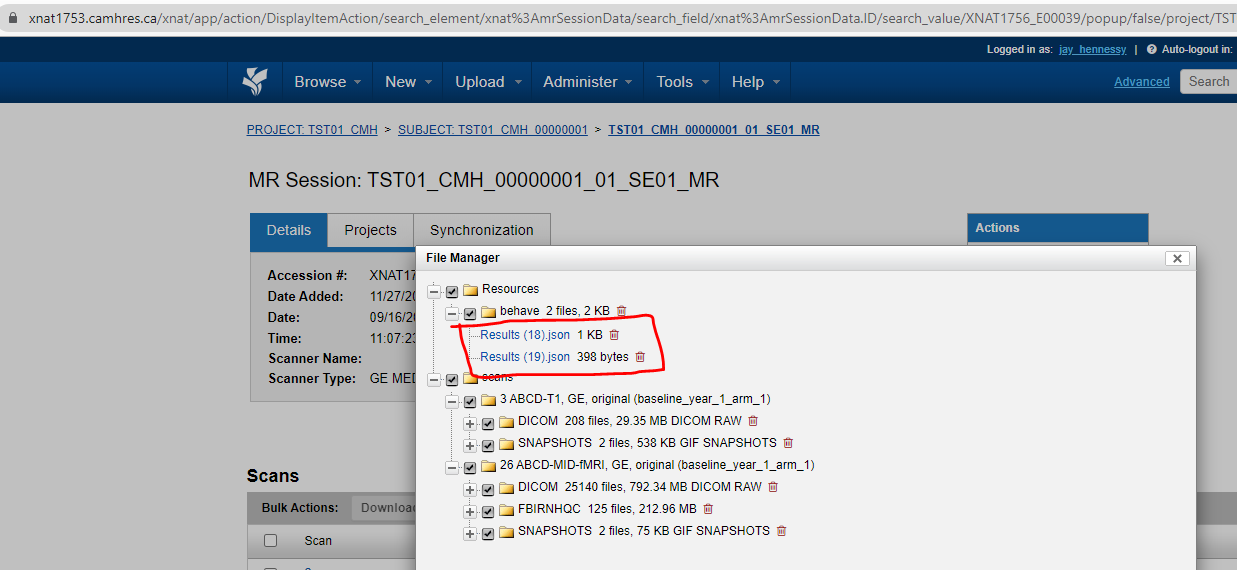
If collected, extra datatypes (e.g., physiological or behavioural) data collected during the MRI scans need to be uploaded separately. Non-image uploads could also be technologist notes or QC .pdf files. These must be added to a subject’s session, which should be done after the DICOM files have been uploaded.
XNAT keeps the data organized under each subject’s session in resources/ and scans/. The scans/ folder holds all of the uploaded DICOM data, and the resources/ folder contains everything else. Therefore, under resources, you can create folders as nessicary:
resources/logs– participant log sheets (.xls, .csv, .pdf, etc.)resources/behav– behavioural data for fMRI experiments.resources/physio– physiological recordings collected during the MRI protocol.
To upload data to one of these folders:
- Navigate to the subject to which you would like to add resources, click on the session.

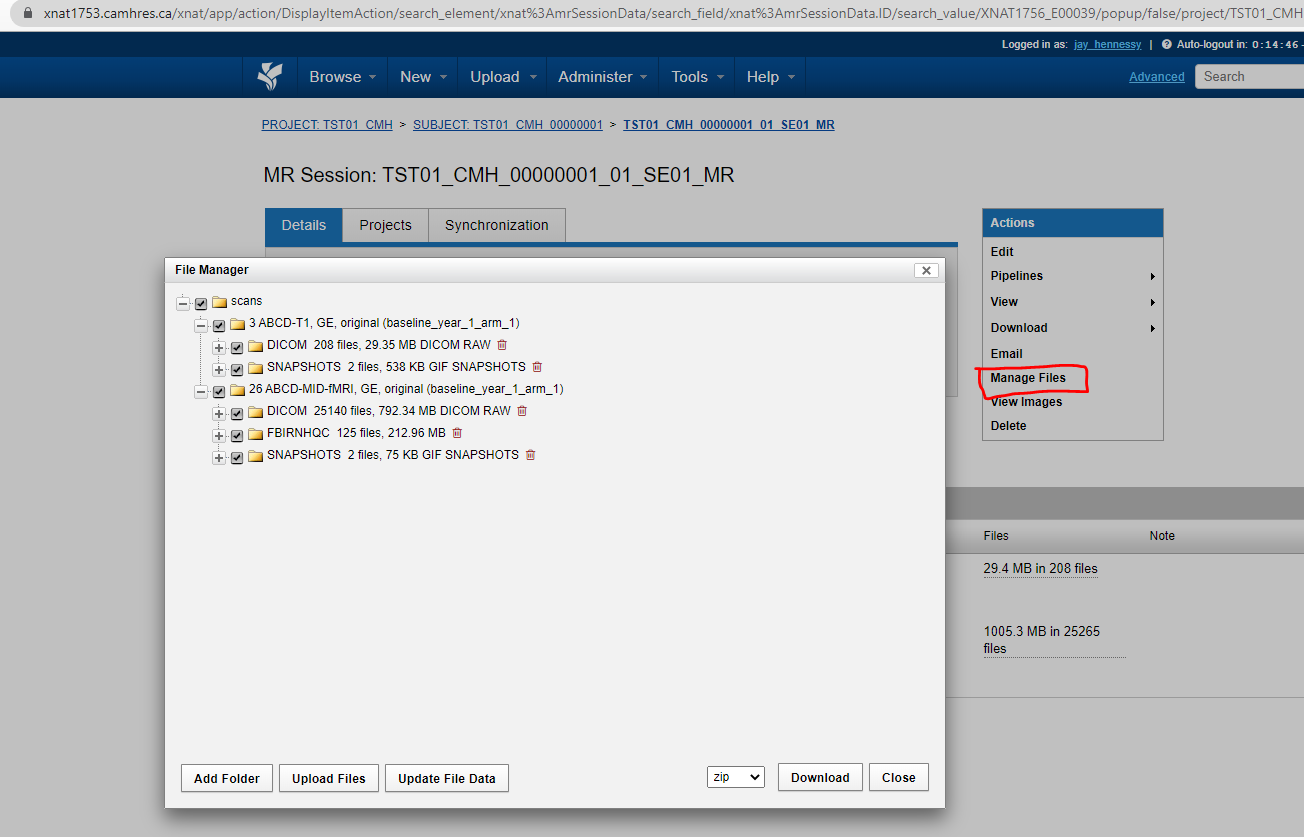
- Click ‘Manage Files’ on the right hand bar. You should see a list of the DICOM scans under scans/ and a resources/ folder (potentially with some contents).
- To create a folder: Click
Add Folder. SetLeveltoresourcesand set a name forfolder. ClickCreate.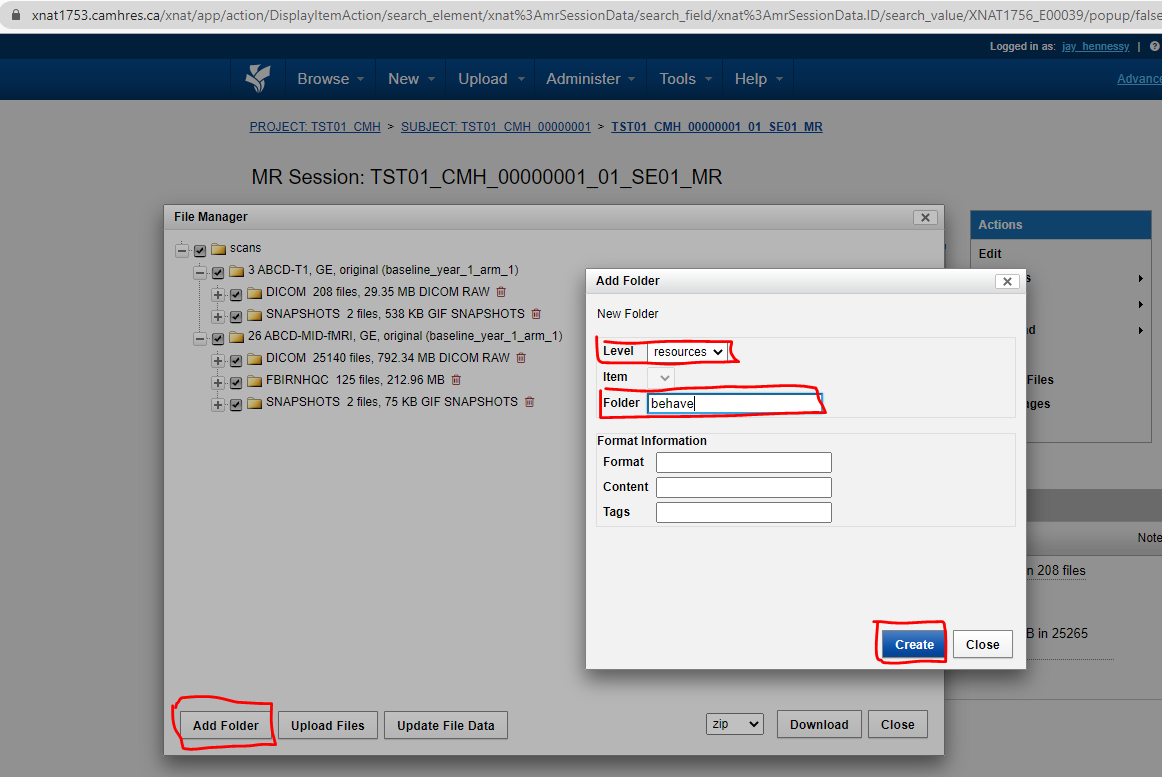
- To upload data to this folder: Click
Upload Files,Levelshould beresources, andFoldershould be the desired folder. Click ‘Choose File’ and attach the desired file file. ClickUpload.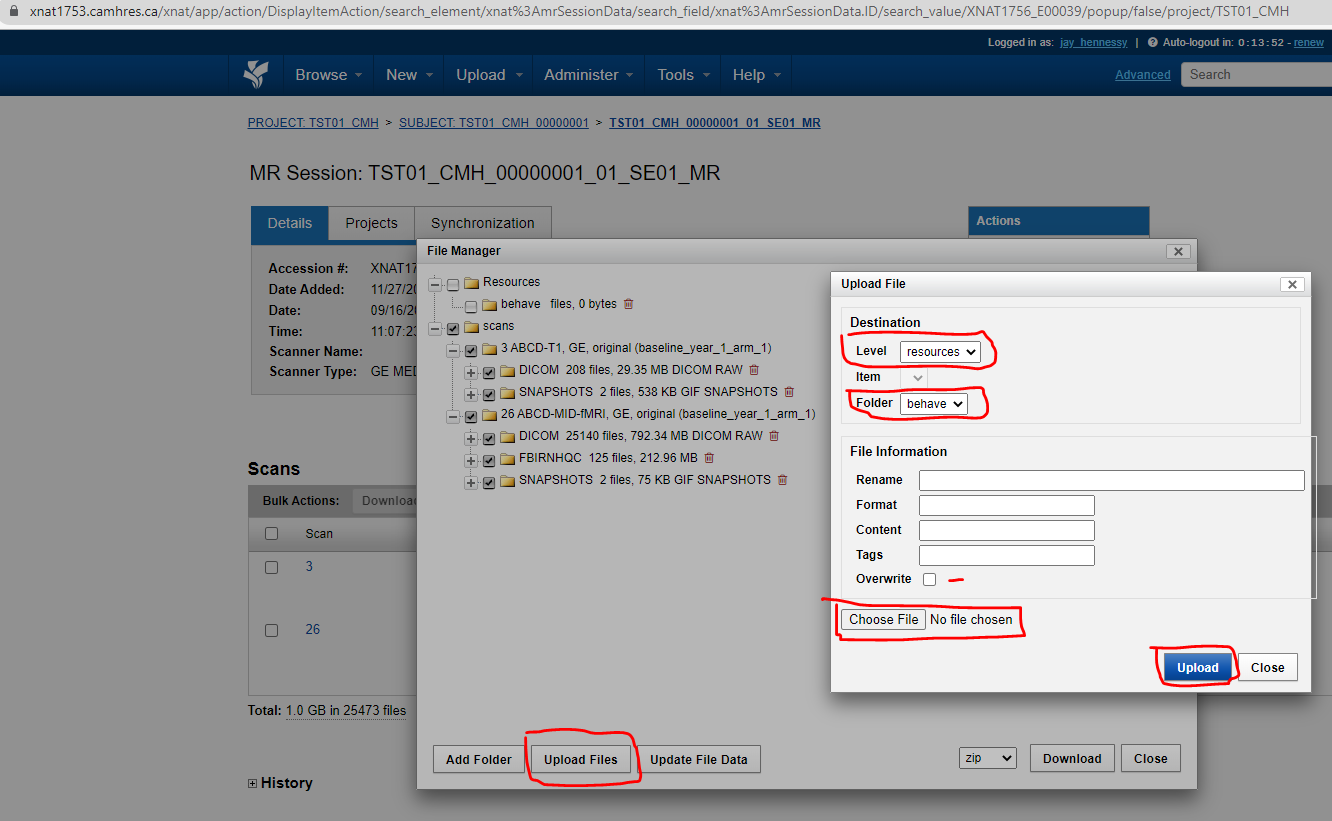
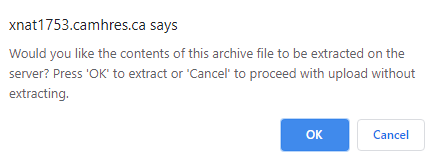
- If your file was a .zip file, you will get a pop-up prompting you to unzip it if you would like, click Ok.
- You should now see your uploaded files.